
TikTok LIVE Restricted? What to Do, Step by Step
TikLiveGames Team · · 7 min read
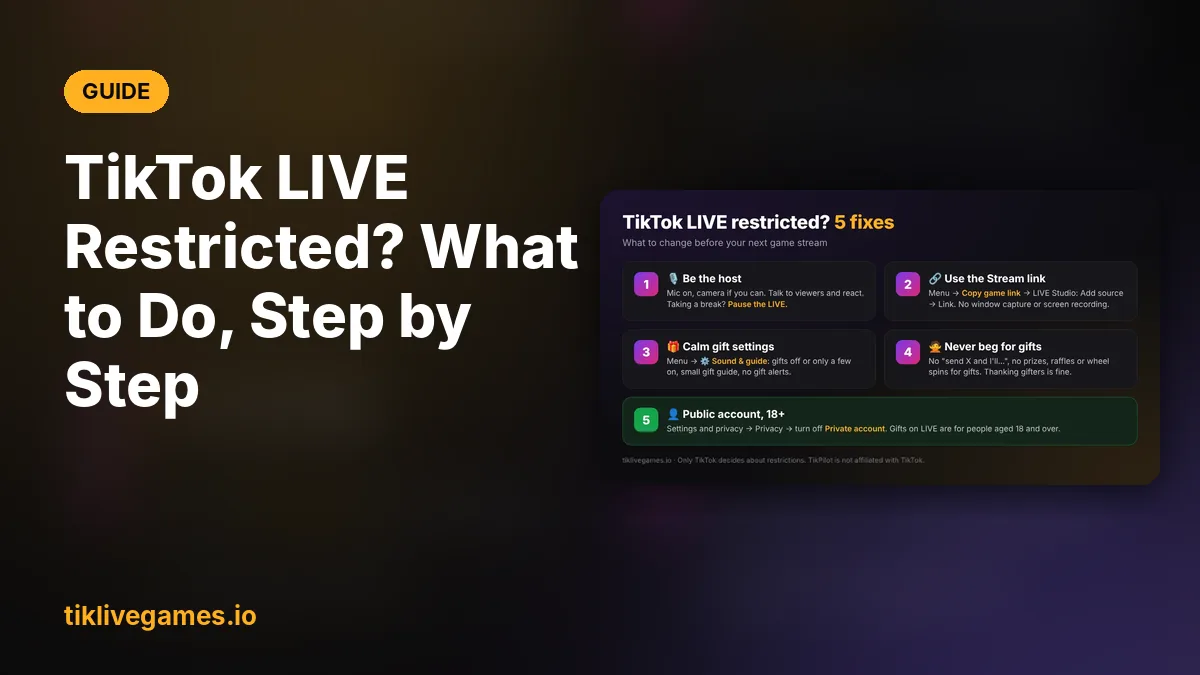
Saw "LIVE visibility restricted", or does your LIVE suddenly get almost no viewers? Don't worry. This guide shows, with pictures, what a TikTok LIVE restriction means, why it usually happens on game streams and exactly what to change in your game and your LIVE. We are with you after your purchase: if anything is unclear, write to us any time.
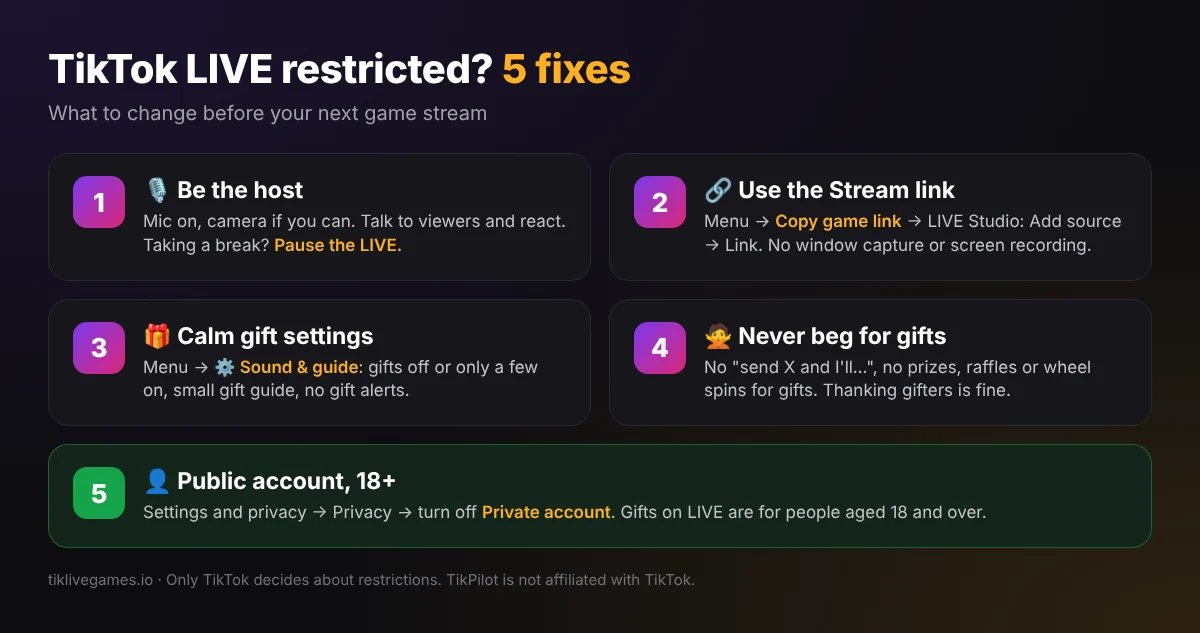
What a LIVE restriction means
A restriction usually means TikTok shows your LIVE to fewer people for a while: it no longer appears in For You or the LIVE feed, so new viewers stop coming. It is not an account ban, and it usually ends by itself after the time TikTok shows you. Only TikTok decides about restrictions. We cannot see, lift or appeal them for you, and no game can promise that a LIVE will never be restricted, but the steps below remove the usual causes.
Why game streams get restricted
- Nobody is hosting: only a game runs on screen, with no voice and no camera.
- "Unoriginal content": a captured window or a phone recording of another screen instead of a clean game source.
- Asking for gifts, or promising something in return for gifts.
- Gifts that win something by chance, prizes, or gift goals with rewards.
- A private account, or earlier Community Guidelines strikes.
Step 1: Be the host of your LIVE
TikTok wants a person on the LIVE. Keep your microphone on and, if you can, your camera. Explain the game, greet new viewers and react to what happens. If you need a break, pause the LIVE instead of leaving the game alone. Streaming from a PC with TikTok LIVE Studio makes this easy: the game, your camera and your microphone in one scene.

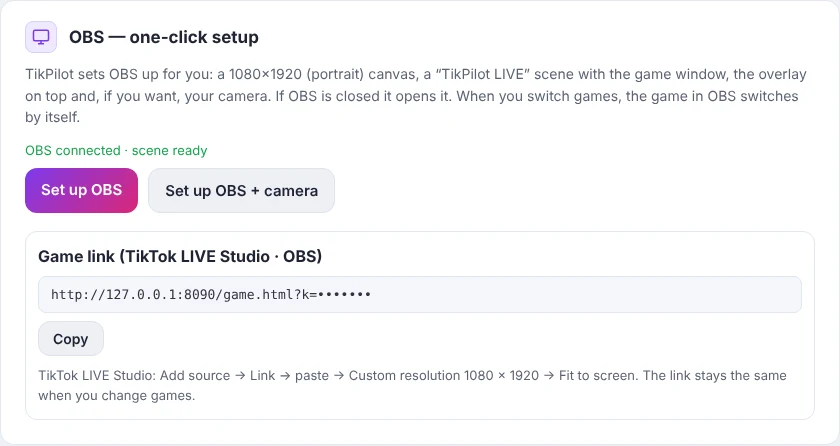
TikPilot's AI is your assistant, not a host: it answers your questions when you push to talk. It does not replace you on the LIVE.
Step 2: Show the game with the Stream link
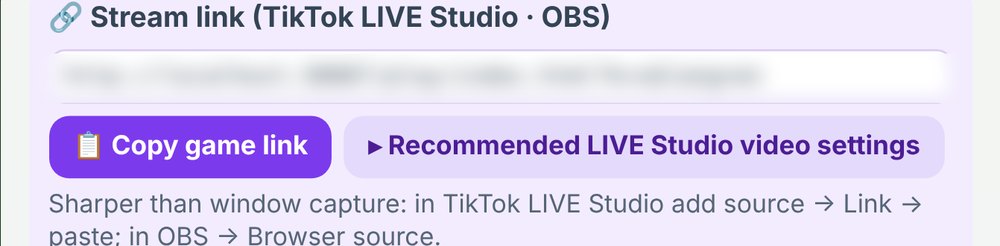
Don't capture the game window and don't record a phone screen. In the game menu, click Copy game link, then in TikTok LIVE Studio choose Add source → Link and paste it (in OBS: Browser source). The picture is sharp and clean, and it is the game itself, not a recording of a screen.
Step 3: Keep gifts calm in the game menu
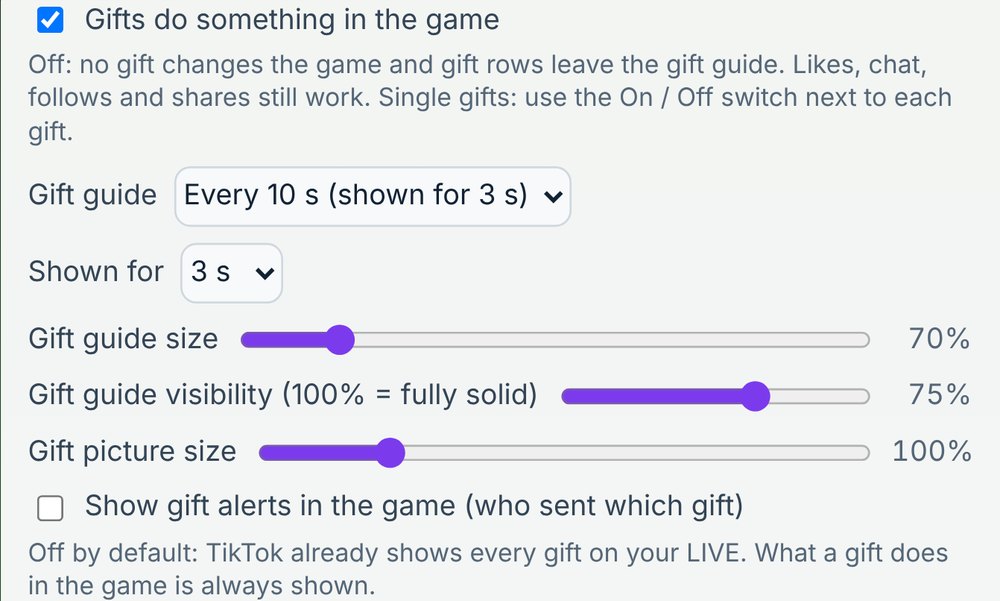
Open the game's Menu and go to the ⚙️ Sound & guide card. These settings are the same in every game:
- For the safest LIVE, untick "Gifts do something in the game". Likes, chat, follows and shares still play the game.
- Or keep gifts on and turn single gifts off with the On / Off switch next to each gift, so only a few gifts do something.
- Gift guide: Hidden, or "Every 10 s (shown for 3 s)", and keep it small.
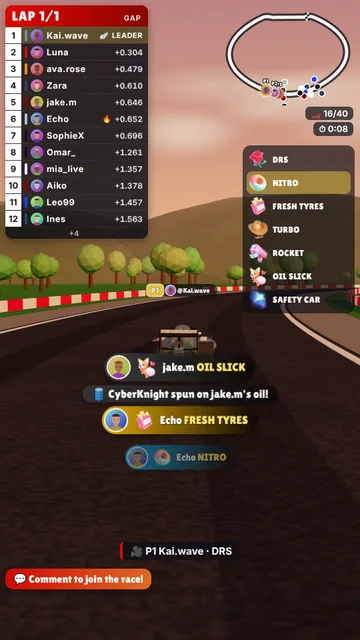
- Leave "Show gift alerts in the game" off: TikTok already shows every gift on your LIVE.
Step 4: Never ask for gifts or promise anything for them
- Don't say "send a Rose and I'll…" and don't set gift goals with prizes.
- No raffles, wheel spins or random wins for gifts. Nothing random is won with gifts in our games.
- Don't present gifts as donations or a fundraiser.
- Thanking gifters warmly by name is fine.
Step 5: Check your account
- Your TikTok account must be public: Settings and privacy → Privacy → turn off Private account.
- You must be 18 or older to go LIVE with gifts.
- Keep your LIVE and your videos within TikTok's Community Guidelines.
If your LIVE is already restricted
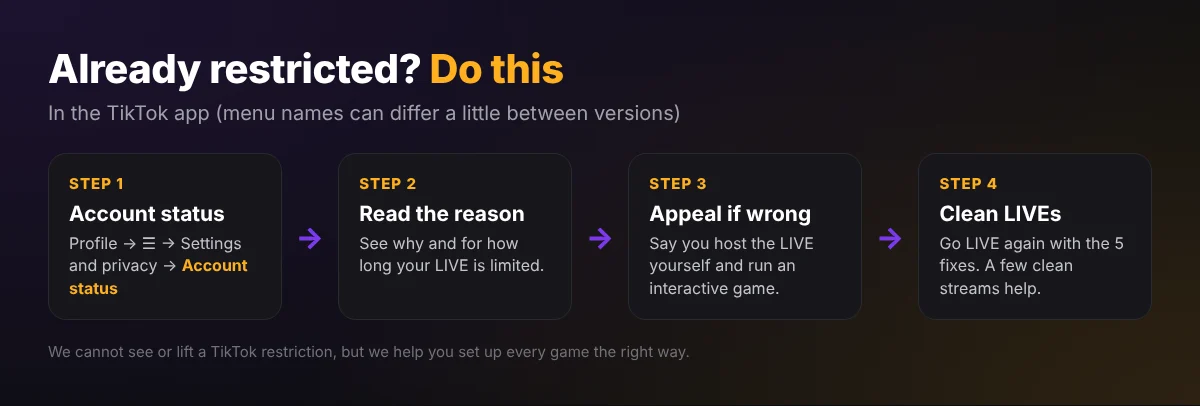
- In the TikTok app, open Profile → ☰ → Settings and privacy → Account status. Menu names can differ a little between app versions.
- Read the reason and how long the restriction lasts.
- If you think it is a mistake, appeal there and explain that you host the LIVE yourself and run an interactive game.
- When it ends, go LIVE again with the five fixes above: you as the host, the Stream link and calm gift settings.
- A few clean LIVEs in a row help your LIVE reach more people again.
What we do on our side
We are rebuilding and updating all our games to TikTok's LIVE rules: the streamer is the host, gifts are optional and never begged for, nothing random is won with gifts, and the gift guide is small and brief. Every update is listed on the version changes page.
- Version changes
- Our TikPilot Games Are Built Around TikTok LIVE Rules
- TikTok LIVE Gift Games: What TikTok's Rules Say
- How We Keep Our TikTok LIVE Games Within TikTok's Rules
- TikTok LIVE Community Guidelines
Only TikTok decides about restrictions on its platform, so no tool can guarantee that a LIVE will not be restricted. TikTok is a trademark of its owner. TikPilot and TikLive Games are not affiliated with TikTok.
Still stuck? Write to us: we are with you after your purchase and help with every question. Get help
Frequently Asked Questions
Is a LIVE restriction a ban?
No. TikTok shows the LIVE to fewer people for a while; it usually ends by itself. Account status in the TikTok app shows the reason and how long it lasts.
Can you lift my restriction?
No. Only TikTok decides about restrictions. You can appeal in the TikTok app under Account status, and we help you set up your games the right way.
Can I keep gifts on in the game?
Yes. For the safest LIVE you can turn gifts off in Menu → ⚙️ Sound & guide, or keep only a few gifts on, with a small gift guide and no gift alerts.
Why should I use the Stream link instead of window capture?
The Stream link shows the game itself, sharp and clean. A captured window or a phone recording of a screen can look like unoriginal content.