
How Streamers Set Up Interactive TikTok LIVE Streams
TikLiveGames Team · · 7 min read
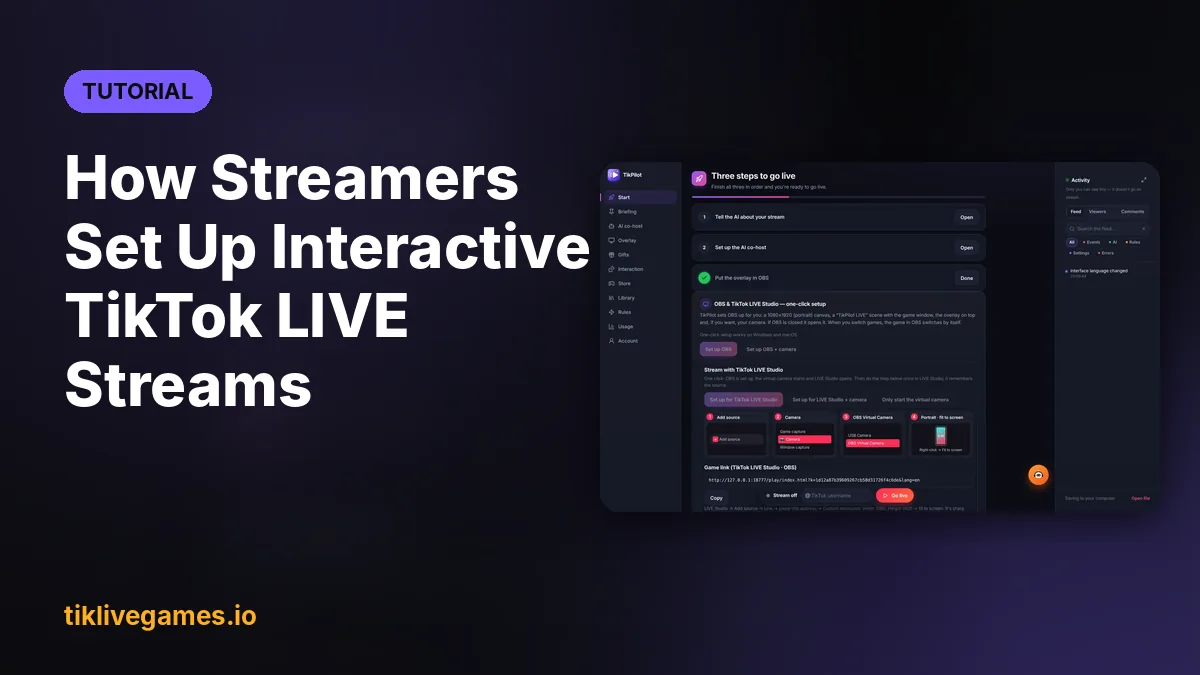
An interactive TikTok LIVE is a stream your viewers play. A Rose speeds up their racer, a comment puts them on a team, likes break blocks on screen. Most setup guides start with the same step: download a separate game launcher or middleware app that sits between TikTok and the game. With the games from tiklivegames.io you can skip that step. TikPilot (formerly TikTool) comes with every game at no extra cost, and it does the launcher's job and more.
What is an interactive TikTok LIVE stream?
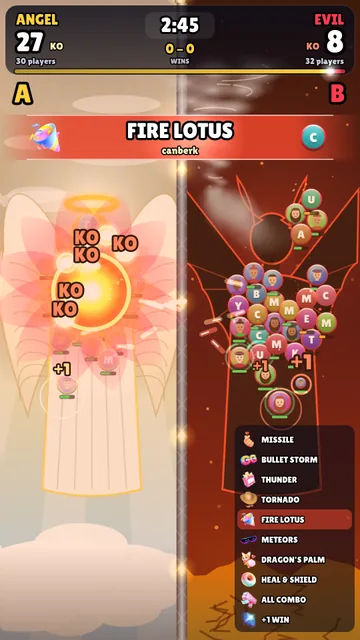
It is a live where your viewers' actions change what happens on screen. Every gift, comment, like, follow or share is an event, and the game turns each one into something everybody can see: a boost, an attack, a new player with the viewer's name and photo. Viewers stay longer because they are part of the show, and they gift more because they see what their gift did.
What you need
- A Windows 10/11 PC or a Mac (macOS 10.13 or newer)
- A TikTok account that can go LIVE, with a public profile
- A broadcasting app: TikTok LIVE Studio or OBS Studio (both free)
- A game from tiklivegames.io
- TikPilot, the app that runs the game. It comes with the game, so there is nothing else to buy
Step-by-step setup with TikPilot
- Pick a game on tiklivegames.io/games. Each game page shows a trailer, screenshots and which gift does what.
- Buy it with the email you want to sign in with. The download link arrives in that email, and a new account gets its password there too.
- Install TikPilot on Windows or Mac and sign in with the same email.
- Open the Library tab. Your game is already there: press Download, then Play. The game opens in its own portrait (9:16) window.
- Type your TikTok username (without @) in the Go live bar at the bottom of TikPilot.
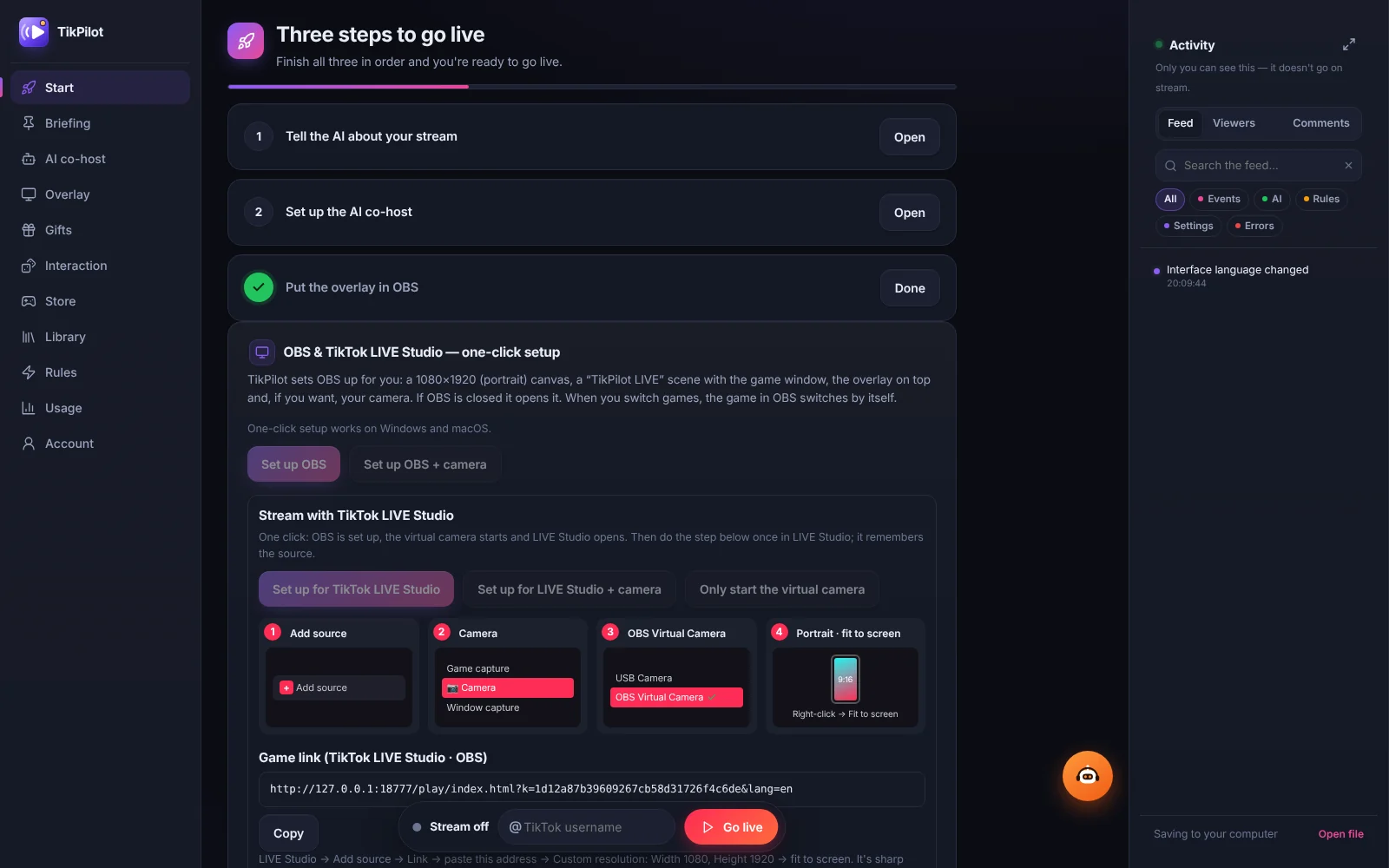
- On the Start tab, press Set up OBS or Set up for TikTok LIVE Studio. TikPilot builds a portrait 1080 × 1920 scene with the game for you.
- In the game menu, pick a gift for each action, for example Rose = small boost and Galaxy = big boost. The game remembers your choices.
- Press Test gift in the game to send a fake gift and check that it shows up in your scene.
- Press Go live in TikPilot and start your LIVE in TikTok LIVE Studio or OBS. TikPilot connects as soon as the LIVE is on, and from then on gifts, comments and likes play the game.
OBS or TikTok LIVE Studio: what the one click does
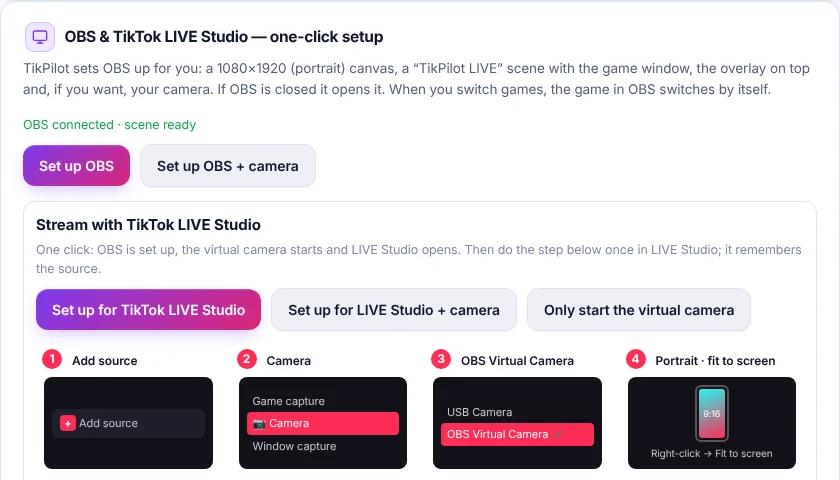
Set up OBS opens OBS if it is closed, sets a portrait 1080 × 1920 canvas and adds a TikPilot LIVE scene with the game window, the overlay on top and, if you want, your camera. When you switch games, OBS switches with you. Your own scenes and your stream key are not touched.
Set up for TikTok LIVE Studio does the same, then starts the OBS virtual camera and opens LIVE Studio. In LIVE Studio you do one thing, once: Add source → Camera → OBS Virtual Camera, then fit it to the screen. OBS Studio has to be installed for this, and it is free. If you would rather not use OBS, copy the game link from the Start tab and add it in LIVE Studio as a Link source at 1080 × 1920.
Why you don't need a separate launcher
A typical interactive setup chains several programs: a launcher or middleware app that listens to your TikTok LIVE, the game it passes the events to, and the broadcasting app. Each one has its own settings, and each one can disconnect in the middle of a stream. TikPilot replaces the first two.
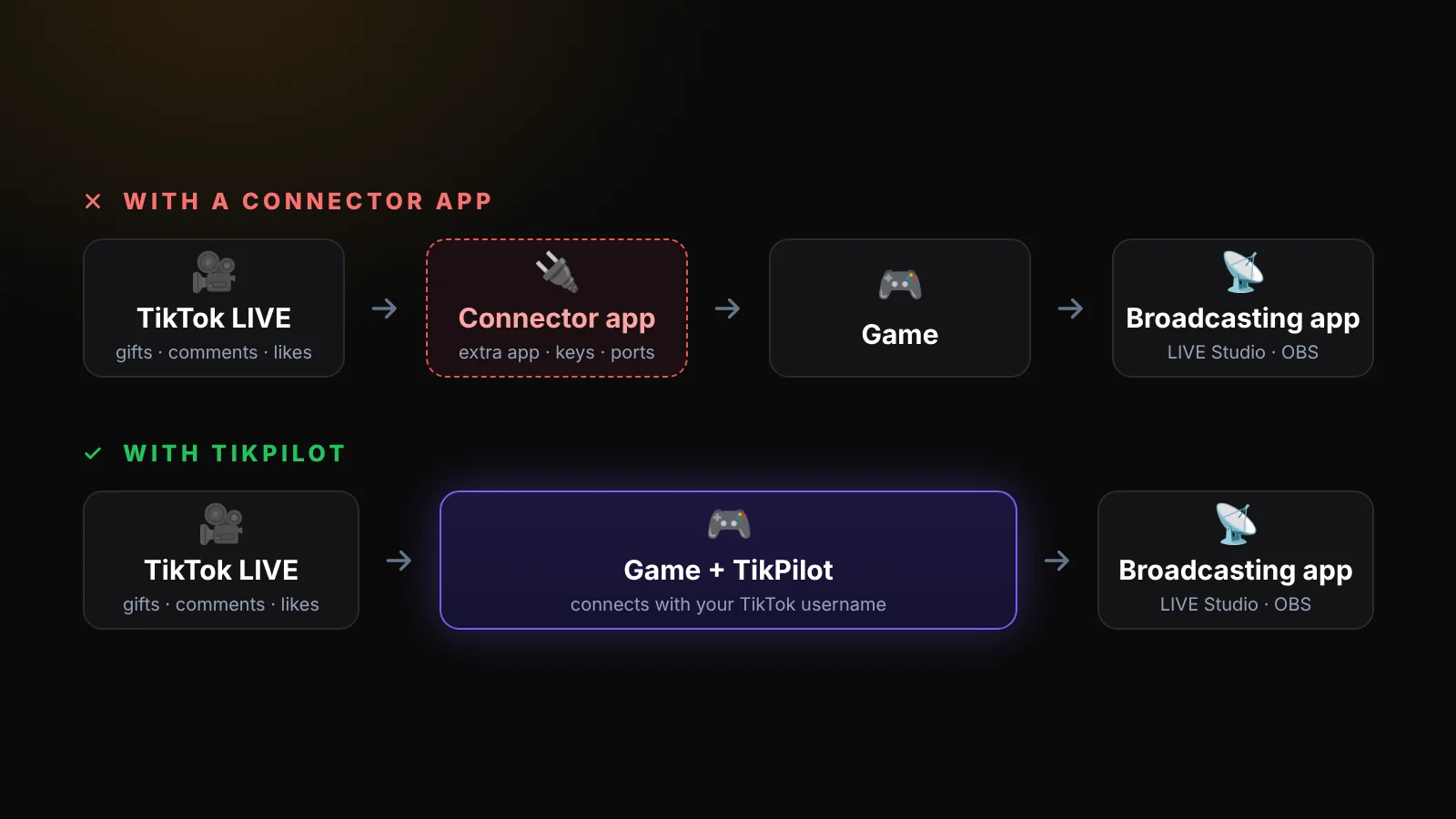
- One app opens the game, keeps it updated and connects it to your TikTok LIVE
- Gifts, comments, likes, follows and shares go straight into the game, with the viewer's name and photo
- One click builds your OBS or TikTok LIVE Studio scene
- No API keys, tokens, ports or WebSocket addresses to copy between programs
- Every game runs in 24 languages
What comes with every game
Every game you buy includes the TikPilot app with its Standard plan at no extra cost, for as long as your game subscription runs. You only pay for the game. That covers playing the game on stream, the TikTok connection, the one-click OBS and LIVE Studio setup, and Standard's overlays and gift rules, such as gift alerts, a coin goal or a sound for a gift.
The AI co-host is not part of Standard. It greets viewers by name, thanks gifts out loud and comments on the game. It comes with the bigger TikPilot plans, and some of them include every game too. It is optional: every game plays without it.
Tips to get viewers playing
- Say the join word out loud and keep it on screen: "Type A or B to join a team."
- Pin a comment with the gift list, for example Rose = boost, Galaxy = rocket
- Keep the game's gift guide on, so new viewers see what each gift does
- Play short rounds: every new round is a new chance to win and a reason to gift again
- Call out the leaders and the top gifters by name at the end of each round
- Open the game's Controls window, so the test, restart and menu buttons stay off your stream
- Add the AI co-host if you want it to explain the rules to every new viewer for you
Good games for your first interactive stream
- Team Clash: viewers pick a team and gifts fight for it
- Crowd Race: viewers comment to join the race and gifts give boosts
- Hill Rush: gifts are gas, nitro, jump and fuel for the car
- All TikTok LIVE games
Related guides
- How to Play Interactive Games on TikTok LIVE: Step-by-Step Setup (2026)
- TikTok LIVE Gift Games: How Gifts Control the Game (and Bring More Gifts)
- How to Go LIVE on a Mac with TikTok LIVE Studio and TikPilot
- TikPilot AI co-host for TikTok LIVE
- Documentation
TikTok and TikTok LIVE Studio are trademarks of their owner. TikPilot and TikLive Games are not affiliated with TikTok.
Pick a game: TikPilot comes with it. Browse games
Frequently Asked Questions
Do I need a separate launcher or connector app for TikTok LIVE games?
No. TikPilot runs every game from tiklivegames.io and connects it to your TikTok LIVE with your username. You only need a broadcasting app, TikTok LIVE Studio or OBS, to send the picture to TikTok.
Is TikPilot free with a game?
Yes. Every game includes TikPilot with its Standard plan at no extra cost while your game subscription runs, so you only pay for the game. The AI co-host is part of the bigger, paid TikPilot plans and is optional.
Does it work with TikTok LIVE Studio?
Yes. Press Set up for TikTok LIVE Studio in TikPilot and add the OBS Virtual Camera as a camera source once (OBS Studio must be installed). Without OBS, add the game link from the Start tab as a Link source.
Does it work on a Mac?
Yes. TikPilot and every TikPilot game run on Windows 10/11 and macOS, and the one-click OBS and LIVE Studio setup works on both.
Is TikPilot made by TikTok?
No. TikPilot and TikLive Games are independent and are not affiliated with or endorsed by TikTok.