
TikTok LIVE Analytics: See Who Sent Every Gift and Who Keeps Coming Back
TikLiveGames Team · · 6 min read
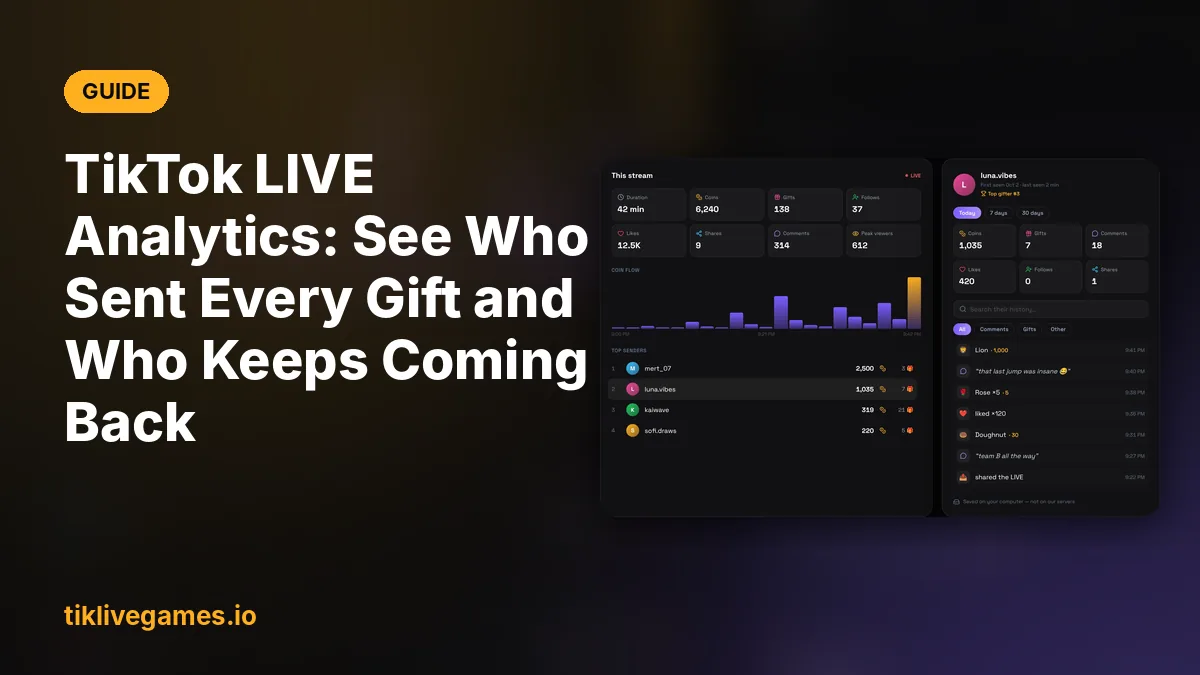
After a good stream the same questions always come up: who sent that Lion, how many coins came in, and is the person who gifted today the same one who was here last week? TikTool answers them with a report for every stream and a profile for every viewer.
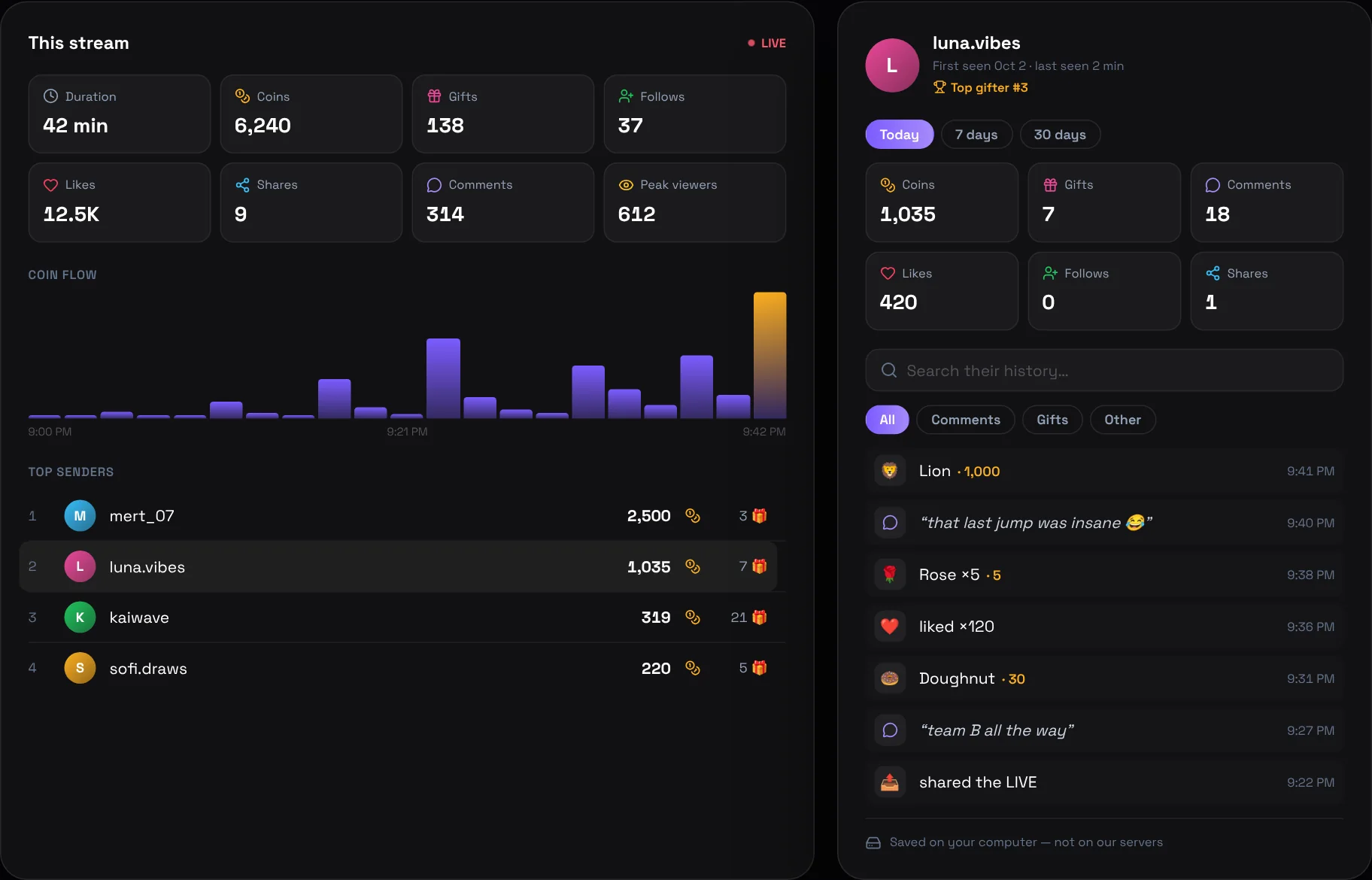
What the stream report shows
While you are live, TikTool counts everything that happens in your stream and keeps the numbers for that stream. When a new stream starts, a new report starts.
- Duration of the stream
- Coins: the total coin value of all gifts
- Gifts, follows, subscriptions, likes, shares and comments
- Peak viewers: the most people watching at the same time
- Coin flow: a chart of when the coins came in during the stream
- Top senders: who sent the most coins, and how many gifts each of them sent
The coin flow chart is the most useful part for planning. If the coins arrive when a game round ends or when you start a challenge, you know what to do more often.
A profile for every viewer
Click any name in the viewer list or in the top senders and their profile opens. It shows everything that person did on your streams, with totals for today, the last 7 days or the last 30 days.
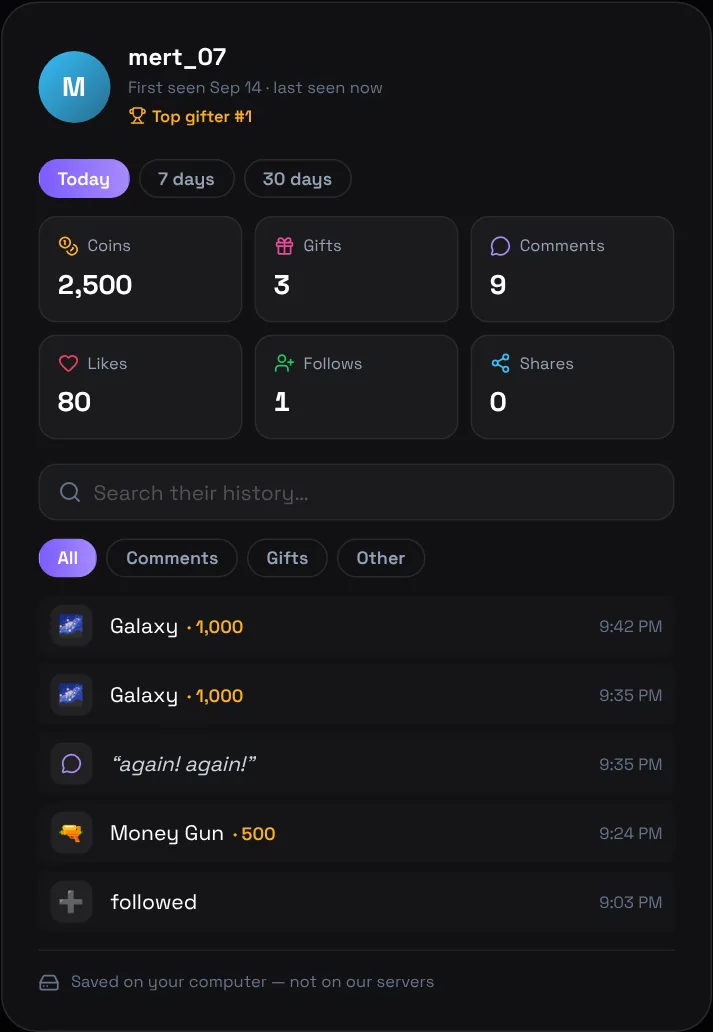
- Coins, gifts, comments, likes, follows and shares for the chosen period
- When you first saw the viewer and when they were last active
- Their place in your top gifters
- Their full history: each gift with its coin value, each comment and every like, follow and share
- Search their history, or show only their comments or only their gifts
How streamers use it
- Thank your top gifters by name at the end of the stream — and do not forget anyone
- Recognise regulars: see who comes back every day even if they rarely gift
- Find what works: compare the coin flow with what you were doing at that moment
- Check what someone said before you block or report them
- Reward your supporters with shout-outs, giveaways or a spot in your next game
Where the data is kept
Viewer history is saved on your computer for 30 days, not on our servers. The activity panel is only visible to you; it never appears on your stream. You can open the saved file from the panel at any time.
How to set it up
- Download TikTool and sign in
- Enter your TikTok username and connect to your live
- Go live: the stream report and viewer profiles fill in by themselves
- Open Usage for the stream report, or click any name in the activity panel to open that viewer's profile
Your TikTok profile must be public so that TikTool receives the events of your live. With the AI co-host turned on, TikTool can also thank your top gifters out loud during the stream.
See everything TikTool does for your stream. Explore TikTool