
AI Co-Host Briefing: Tell the AI Who You Are and How You Stream
TikLiveGames Team · · 8 min read
The AI co-host can answer comments, thank gifters and keep your TikTok LIVE talking. But it only knows what you tell it. Before your stream, take two minutes to fill in the Stream title tab: who you are, what you do on stream and what you want from viewers. The AI then talks about your stream instead of saying general things.
Why the briefing makes the AI better
- It knows what you play, so it can explain the game to new viewers
- It knows the rules, so it tells viewers which gift or comment does what
- It knows your style, so it is hype, calm or funny the way you want
- It knows who you are, so it can introduce you and answer questions about you
- It stays on topic instead of saying the same general lines every stream
Without a briefing and with one
Here is what the AI co-host might say when a viewer sends a Galaxy during Team Clash:
- Without a briefing: "Wow, thank you for the Galaxy, Leo! Welcome everyone!"
- With a briefing: "Leo just dropped a meteor on Team B! Team B, are you going to take that? Send Roses and fight back!"
- Without a briefing, to a new viewer: "Hi Mia, welcome to the stream!"
- With a briefing, to a new viewer: "Hi Mia! Type A or B to pick a team, Team B needs you right now."
The three parts of the Stream title tab
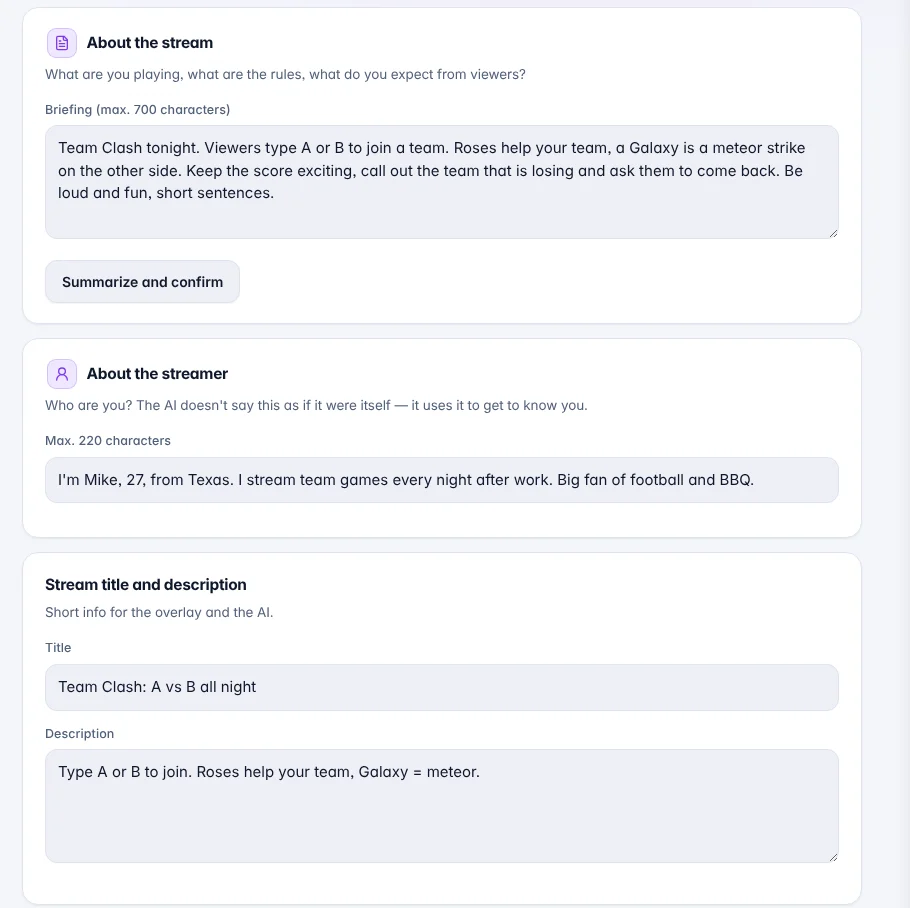
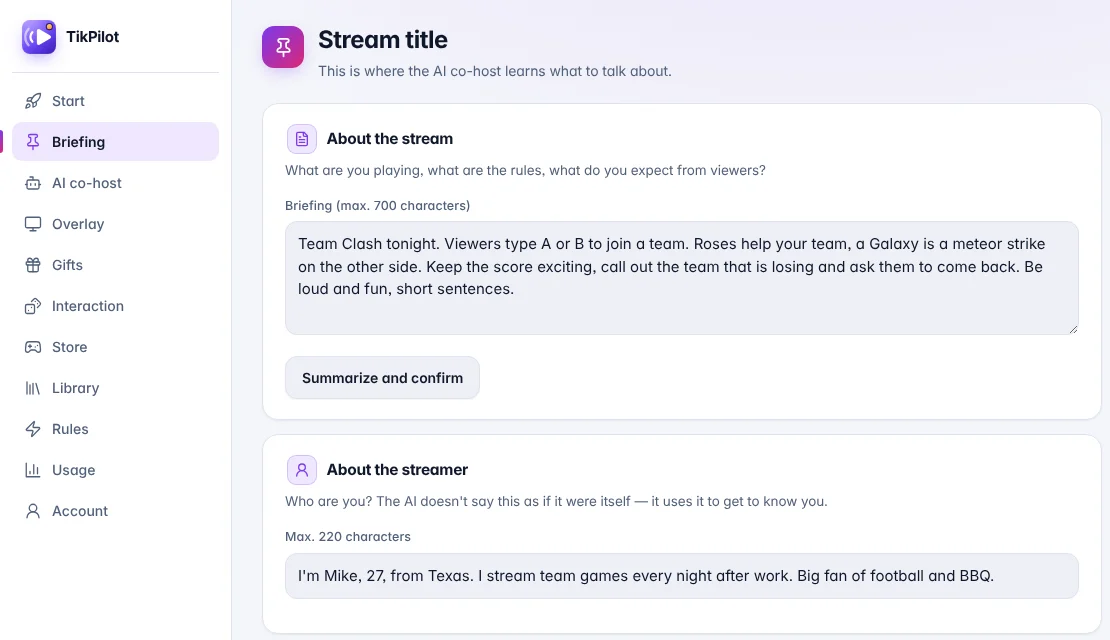
About the stream (up to 700 characters): what you are doing today, the rules and what you expect from viewers. Press Summarize and confirm: the AI writes back in a few lines what it understood. If it is right, confirm it. That summary becomes the AI's plan for the stream. If you change the text later, confirm it again.
About the streamer (up to 220 characters): who you are, where you are from, what you like. The AI does not say this as if it were itself; it uses it to know you, for example to introduce you to new viewers.
Title and description: short information for the overlay and the AI, like the name of today's stream.
What to write in the briefing
- What you are doing: the game, the challenge or the topic of the stream
- The rules: which gifts or comments do what, and what the goal is
- What you want from viewers: join, send a gift for a goal, follow, ask questions
- How the AI should sound: hype, calm, funny, short
- Anything it should not do: topics to avoid or words not to use
Example briefings
Copy one of these, change the names and gifts to yours, and press Summarize and confirm.
Game stream: Roof Skater

Game stream: "I play Roof Skater every evening: I try to beat all 50 levels before the stream ends. Galaxy sends me back to level 1, Money Gun saves me. Be hype, tease the people who reset me and thank every gift."
Team battle: Team Clash
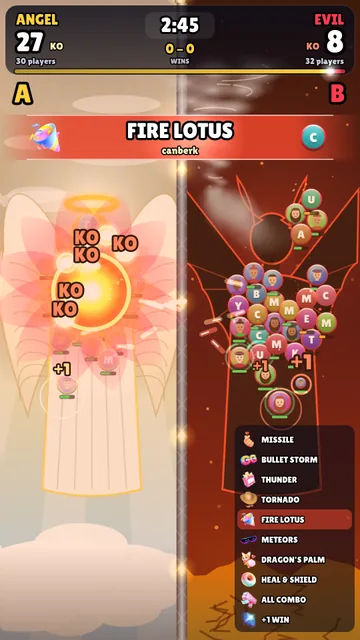
Team battle: "Team Clash tonight. Viewers type A or B to join a team. Roses help your team, a Galaxy is a meteor strike. Keep the score exciting, call out the team that is losing and ask them to come back."
Gift game: Penalty

Penalty: "Penalty shootout night. Every gift is a kick with your name on the shirt, bigger gifts score more often. Commentate every shot like a football match, celebrate goals loudly and feel sorry for the misses. The top scorer of the night gets a shout-out at the end."
Cozy game: Dog Chef

Dog Chef: "Dog Chef is open. Every gift is a dish: Rose is a kebab, Doughnut a donut, Galaxy a grand feast. Talk like a friendly waiter: tell viewers what is cooking, who ordered it and what to try next. Calm and warm, my viewers are mostly families."
Quiz: AI Quiz Show
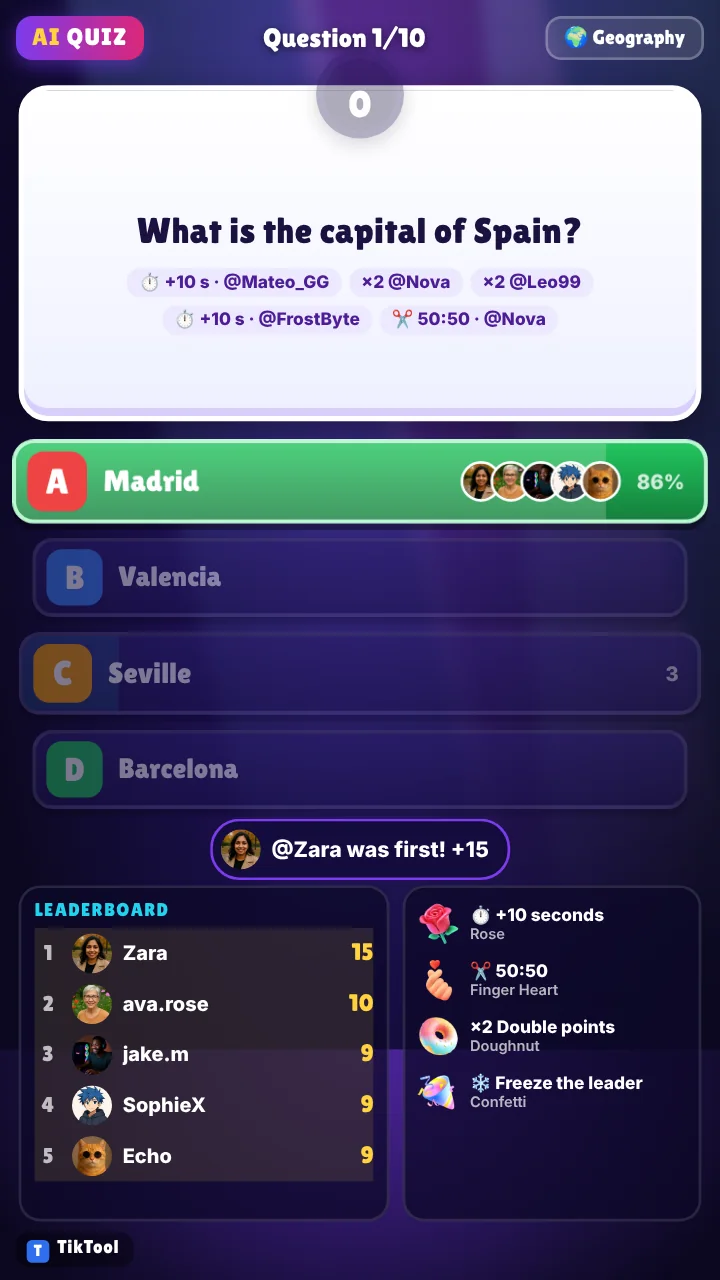
Quiz: "Quiz night with the AI Quiz Show. Viewers answer by typing A, B, C or D, the fastest right answer gets the most points. Between questions, cheer for the leader, tease the people who answer late and remind new viewers how to play."
Just chatting
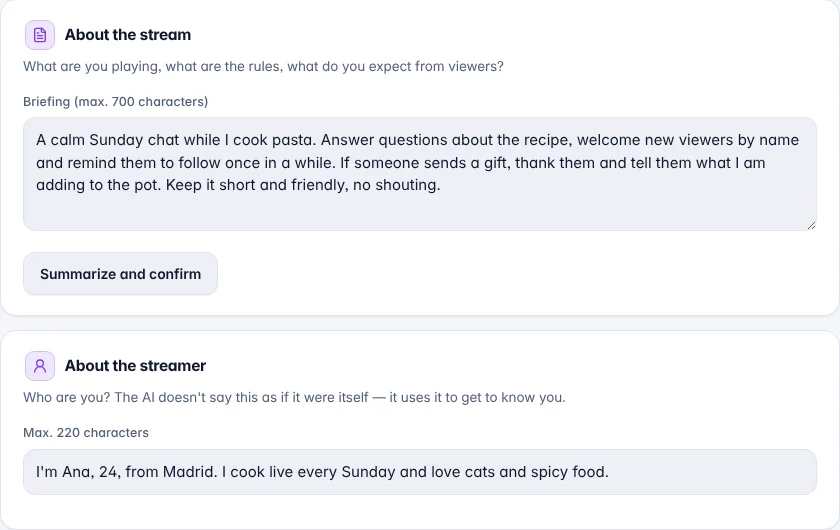
Just chatting: "A calm Sunday chat while I cook. Answer questions about the recipe, welcome new viewers by name and remind them to follow once in a while. Keep it short and friendly."
Examples for About the streamer
- About the streamer: "I'm Ana, 24, from Madrid. I stream games every evening and love cats and spicy food."
- "I'm Mike, 27, from Texas. I stream team games every night after work. Big fan of football and BBQ."
- "I'm Yuki, a student from Osaka. I stream quiz games and talk about anime. I'm a bit shy, so help me keep the chat going."
- "I'm Carlos, a mechanic from Mexico City. I stream racing games on weekends with my two kids watching."
Teach it during the stream
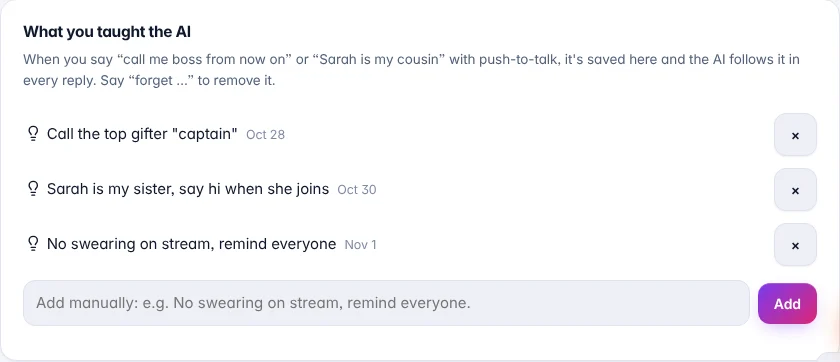
You don't have to write everything before the stream. Hold push-to-talk and tell the AI something new, and it is saved under What you taught the AI on the same tab. The AI follows it in every reply until you say "forget …" or remove it with ×.
- "Call the top gifter captain from now on."
- "Sarah is my sister, say hi when she joins."
- "No swearing on stream, remind everyone."
- "We are going to 10,000 coins today, remind people every few minutes."
Set the tone and how much it talks
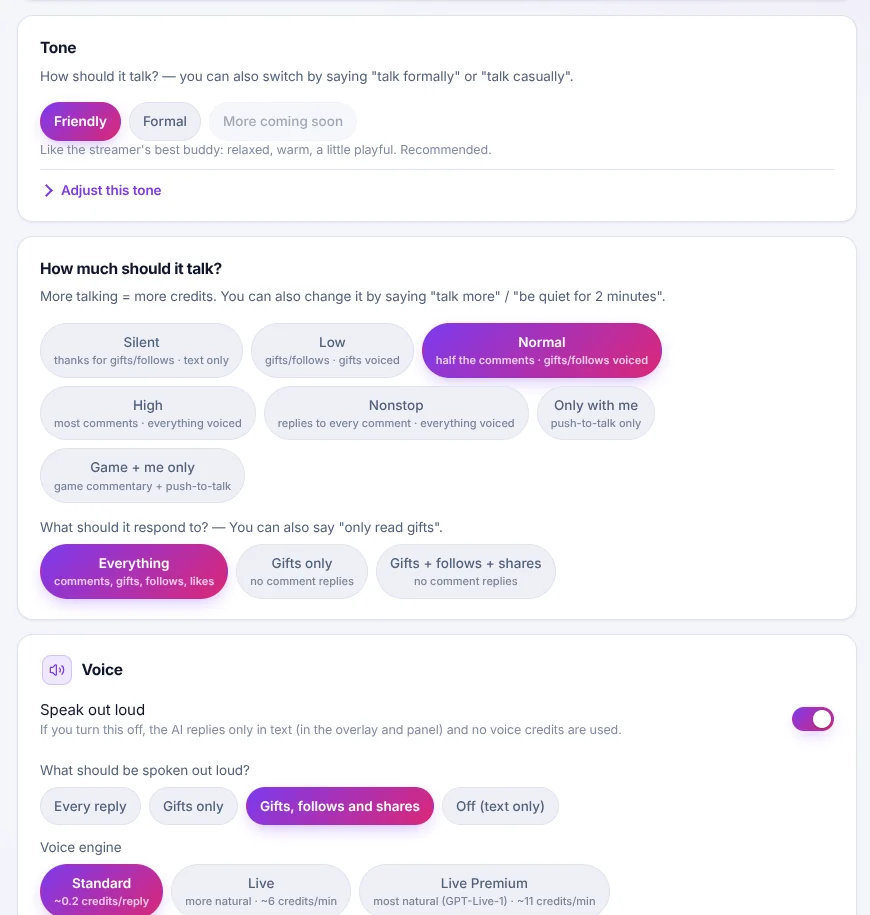
The briefing says what to talk about. In the AI co-host tab you choose how: friendly or formal, how often it talks, and what it says out loud. You can also change these live by saying things like "talk more" or "only read gifts".
Common mistakes
- Leaving it empty: the AI then only knows what it sees in comments and gifts
- Writing only a title like "gaming": say what happens and what viewers can do
- Writing about yourself in the briefing: put that in About the streamer
- Changing the text and not confirming it again: the AI keeps using the old plan until you do
- Keeping the same briefing when you play a different game: update it before each stream
Where to find it
Open TikPilot, go to the Stream title tab, write your briefing and press Summarize and confirm. Then fill in About the streamer and the title. It takes two minutes and you can reuse it every stream.
Get TikPilot with the AI co-host. Get TikPilot